Examples

A page with steam-block configurations of the same custom element: blend modes, SVG pattern masks, clip-paths, layered decoration, and scroll reveal via steam-emerge.

Same element, same script tag, every time. Only the CSS variables change. Open “View code” under any example for the exact markup and custom properties, or check the documentation for the full attribute and CSS variable reference.

Blending, filtering, clipping & masking
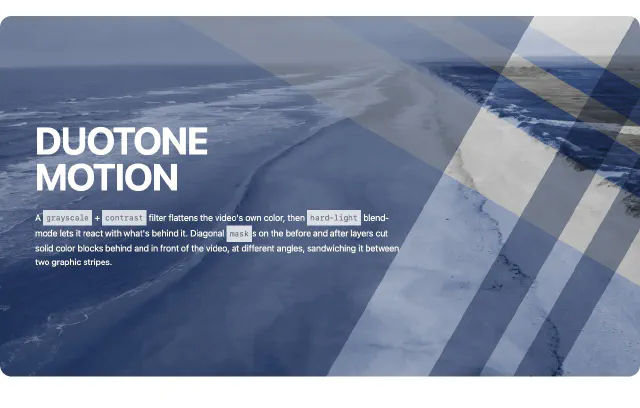
DUOTONE
MOTION

A grayscale + contrast filter flattens the video's own color, then hard-light blend-mode lets it react with what's behind it. Diagonal masks on the before and after layers cut solid color blocks behind and in front of the video, at different angles, sandwiching it between two graphic stripes.

View code
<style>
.duotone-motion {
  --steam-block-media-aspect-ratio: 16 / 9;
  --steam-block-hero-align-items: flex-start;
  --steam-block-content-text-align: left;
  --steam-block-hero-content-width: 100%;
  --steam-block-media-filter: grayscale(1) contrast(1.15);
  --steam-block-media-border-radius: 1.25rem;
  --steam-block-media-blend-mode: hard-light;
  --steam-block-media-before-background: #384f7b;
  --steam-block-media-before-mask: linear-gradient(30deg, rgba(0,0,0,1) 0%, rgba(0,0,0,1) 63%,rgba(255,255,255,0) 63%, rgba(255,255,255,0) 75%,rgba(0, 0, 0, 1) 75%, rgba(0, 0, 0, 1) 81%,rgba(255,255,255,0) 81%, rgba(255,255,255,0) 85%,rgba(0, 0, 0,1) 85%, rgba(0, 0, 0,1) 90%,rgba(255,255,255,0) 90%, rgba(255,255,255,0) 100%);
  --steam-block-media-after-opacity: .5;
  --steam-block-media-after-blend-mode: multiply;
  --steam-block-media-after-background: #384f7b;
  --steam-block-media-after-mask: linear-gradient(120deg, rgba(0,0,0,1) 0%, rgba(0,0,0,1) 63%,rgba(255,255,255,0) 63%, rgba(255,255,255,0) 75%,rgba(0, 0, 0, 1) 75%, rgba(0, 0, 0, 1) 81%,rgba(255,255,255,0) 81%, rgba(255,255,255,0) 85%,rgba(0, 0, 0,1) 85%, rgba(0, 0, 0,1) 90%,rgba(255,255,255,0) 90%, rgba(255,255,255,0) 100%);
}
/* Below the component's stacking breakpoint (768px default), content
   moves under the media instead of overlaying it, so the white text
   above needs its own dark backdrop. */
@media (max-width: 47.99rem) {
  .example-duotone {
    --steam-block-media-border-radius: 1.25rem 1.25rem 0 0;
    --steam-block-content-background: #111;
    --steam-block-content-padding: 1.5rem;
  }
}
</style>
<steam-block class="duotone-motion" type="hero">
  <video slot="media" autoplay muted loop>...</video>
  <div slot="content"><h1>Duotone motion</h1></div>
</steam-block>

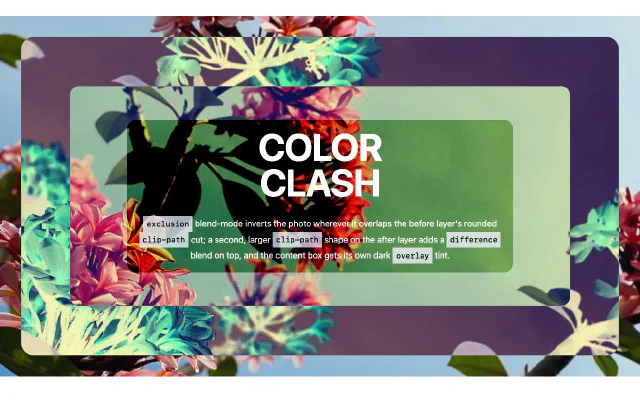
Japanese flowers

COLOR
CLASH

exclusion blend-mode inverts the photo wherever it overlaps the before layer's rounded clip-path cut; a second, larger clip-path shape on the after layer adds a difference blend on top, and the content box gets its own dark overlay tint.

View code
<style>
.color-clash {
  --steam-block-background: #0a0a0a;
  --steam-block-media-blend-mode: exclusion;
  --steam-block-media-before-background: #fffab6;
  --steam-block-media-before-clip-path: inset(3vw round 25px);
  --steam-block-media-after-blend-mode: difference;
  --steam-block-media-after-background: #ffffff;
  --steam-block-media-after-clip-path: inset(10vw round 18px);
  --steam-block-content-padding: 1rem;
  --steam-block-content-border-radius: 1rem;
  --steam-block-content-after-blend-mode: overlay;
  --steam-block-content-after-background: rgb(0, 0, 0);
}
</style>
<steam-block class="color-clash" type="hero" overlay="true">
  <img slot="media" src="photo.jpg" alt="">
  <div slot="content"><h1>Color clash</h1></div>
</steam-block>

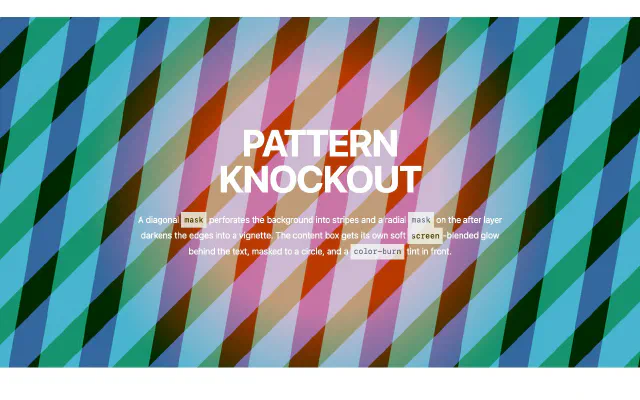
PATTERN
KNOCKOUT

A diagonal mask perforates the background into stripes and a radial mask on the after layer darkens the edges into a vignette. The content box gets its own soft screen-blended glow behind the text, masked to a circle, and a color-burn tint in front.

View code
<style>
.pattern-knockout {
  --steam-block-media-aspect-ratio: 2 / 1;
  --steam-block-background: #48b4ce;
  --steam-block-media-mask: url("diagonal.svg") 0 0/100px 100px repeat;
  --steam-block-media-transform: rotate(-35deg) scale(2);
  --steam-block-media-after-background: #316099;
  --steam-block-media-after-mask: radial-gradient(circle at center center, rgb(0 0 0 / 86%), rgb(0 0 0) 100%);
  --steam-block-content-before-background: #e31414;
  --steam-block-content-before-blend-mode: screen;
  --steam-block-content-before-mask: radial-gradient(circle at center center, rgb(0 0 0 / 82%) 30%, rgb(255 255 255 / 0%) 60%);
  --steam-block-content-after-background: #c8b357;
  --steam-block-content-after-blend-mode: color-burn;
  --steam-block-content-after-mask: url("diagonal.svg") 0 0/175px 175px repeat;
}
/* Let the content layers span the whole hero, not just the text box */
.pattern-knockout::part(content) {
  position: static;
}
</style>
<steam-block class="pattern-knockout" type="hero" overlay="true">
  <img slot="media" src="photo.jpg" alt="">
  <div slot="content"><h1>Pattern knockout</h1></div>
</steam-block>

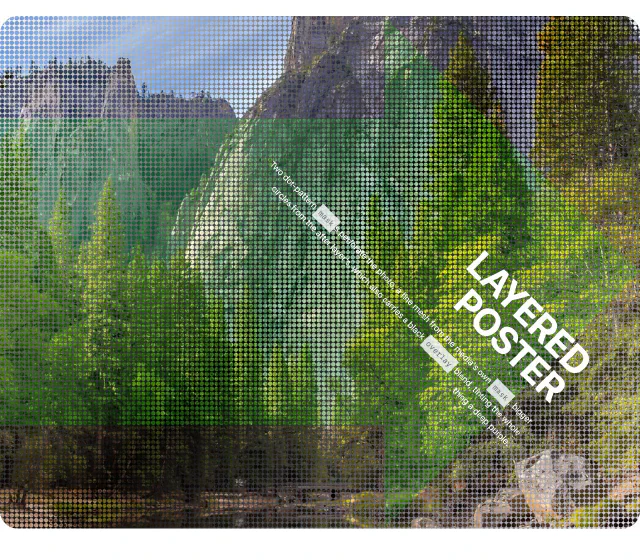
LAYERED
POSTER

Two dot-pattern masks perforate the photo, a fine mesh from the media's own mask, bigger circles from the after layer's, which also carries a black overlay blend, tinting the whole thing a deep purple.

View code
<style>
.layered-poster {
  --steam-block-media-aspect-ratio: 5 / 4;
  --steam-block-border-radius: 2rem;
  --steam-block-hero-align-items: flex-end;
  --steam-block-content-text-align: right;
  --steam-block-content-transform: rotate(45deg);
  --steam-block-background: linear-gradient(135deg, #ffffff, #000000, #dfdbe9);
  --steam-block-media-after-background: #57ce51;
  --steam-block-media-after-clip-path: polygon(0% 20%, 60% 20%, 60% 0%, 100% 50%, 60% 100%, 60% 80%, 0% 80%);
  --steam-block-media-after-blend-mode: overlay;
  --steam-block-media-mask: url("dots.svg") 0 0/140px 140px repeat;
}
</style>
<steam-block class="layered-poster" type="hero">
  <img slot="media" src="photo.jpg" alt="">
  <div slot="content"><h1>Layered poster</h1></div>
</steam-block>

Split layouts with borders, shadows & negative white space
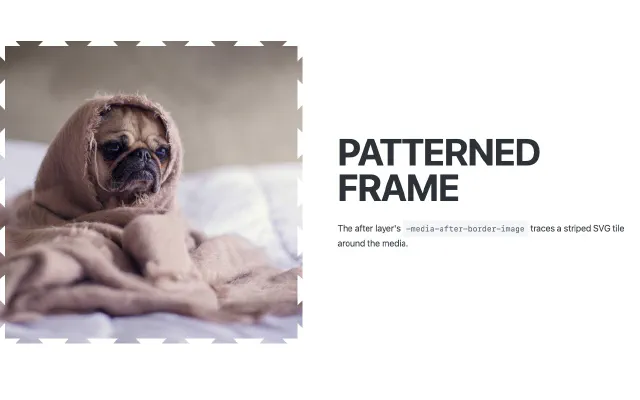
PATTERNED
FRAME

The after layer's -media-after-border-image traces a striped SVG tile around the media.

View code
<style>
.patterned-frame {
  --steam-block-media-after-border-image: url("crosshatch.svg") 8% / 10px round;
}
</style>
<steam-block class="patterned-frame">
  <img slot="media" src="photo.jpg" alt="">
  <div slot="content"><h1>Patterned frame</h1></div>
</steam-block>

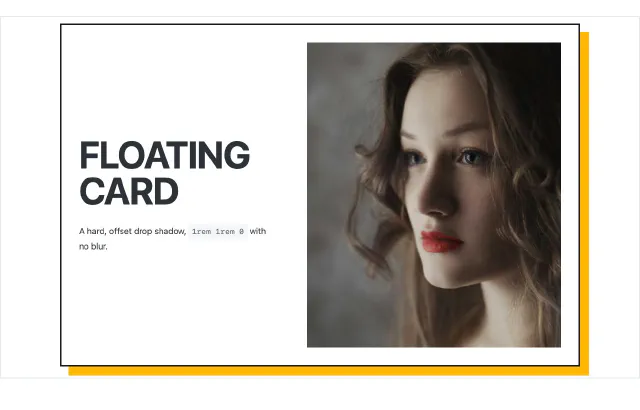
FLOATING
CARD

A hard, offset drop shadow, 1rem 1rem 0 with no blur.

View code
<style>
.floating-card {
  --steam-block-max-width: 50rem;
  --steam-block-padding: 2rem;
  --steam-block-border: 3px solid #1a1a1a;
  --steam-block-box-shadow: 1rem 1rem 0 #ffb703;
  --steam-block-content-width: 40%;
  --steam-block-media-width: 60%;
}
</style>
<steam-block class="floating-card">
  <img slot="media" src="photo.jpg" alt="">
  <div slot="content"><h1>Floating card</h1></div>
</steam-block>

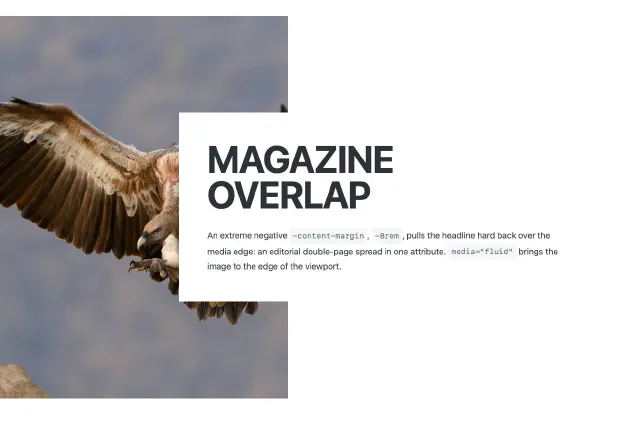
MAGAZINE
OVERLAP

An extreme negative -content-margin, -8rem, pulls the headline hard back over the media edge: an editorial double-page spread in one attribute. media="fluid" brings the image to the edge of the viewport.

View code
<style>
.magazine-overlap {
  --steam-block-content-width: 45%;
  --steam-block-media-width: 45%;
  --steam-block-content-margin: 0 0 0 -50%;
  --steam-block-content-padding: 4vw;
  --steam-block-content-background: #fff;
}
</style>
<steam-block class="magazine-overlap" order="flip">
  <img slot="media" src="photo.jpg" alt="">
  <div slot="content"><h1>Magazine overlap</h1></div>
</steam-block>

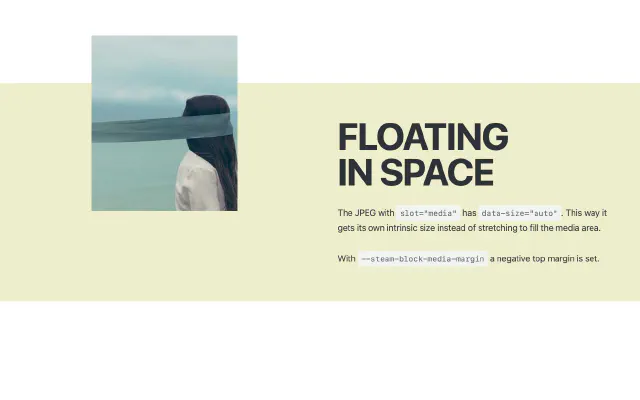
FLOATING
IN SPACE

The JPEG with slot="media" has data-size="auto". This way it gets its own intrinsic size instead of stretching to fill the media area.

With --steam-block-media-margin a negative top margin is set.

View code
<style>
.floating-icon {
  --steam-block-background: #eec;
  --steam-block-padding: 4rem 3rem;
  --steam-block-media-align-items: center;
  --steam-block-media-margin: -50% 0 0 0;
}
</style>
<steam-block class="floating-icon" order="flip">
  <img data-size="auto" slot="media" src="icon.svg" alt="">
  <div slot="content"><h1>Floating in space</h1></div>
</steam-block>

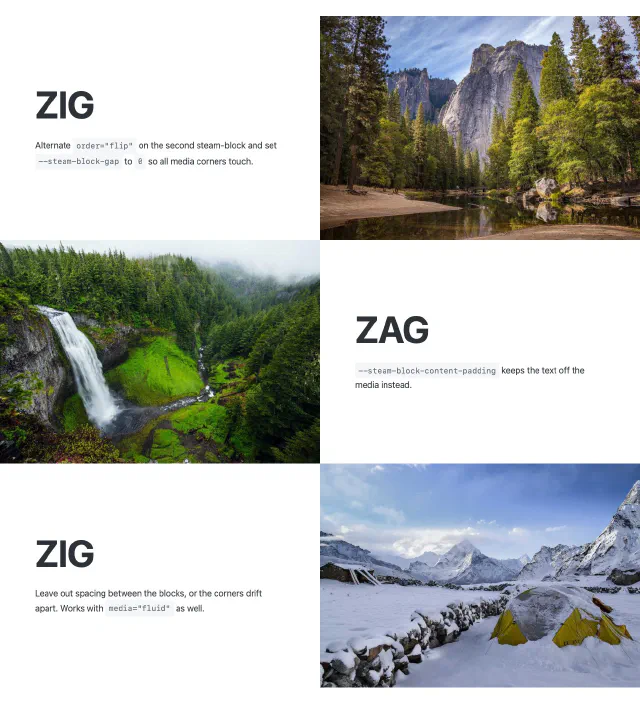
ZIG

Alternate order="flip" on the second stea-block and set --steam-block-gap to 0 so all media corners touch.

ZAG

--steam-block-content-padding keeps the text off the media instead.

ZIG

Leave out spacing between the blocks, or the corners drift apart. Works with media="fluid" as well.

View code
<style>
.zigzag {
  --steam-block-gap: 0;
  --steam-block-content-padding: 0 5vw;
}
</style>
<steam-block class="zigzag">
  <img slot="media" src="photo-1.jpg" alt="">
  <div slot="content"><h1>Zig</h1></div>
</steam-block>
<steam-block class="zigzag" order="flip">
  <img slot="media" src="photo-2.jpg" alt="">
  <div slot="content"><h1>Zag</h1></div>
</steam-block>
<steam-block class="zigzag">
  <img slot="media" src="photo-3.jpg" alt="">
  <div slot="content"><h1>Zig</h1></div>
</steam-block>

Real embeds

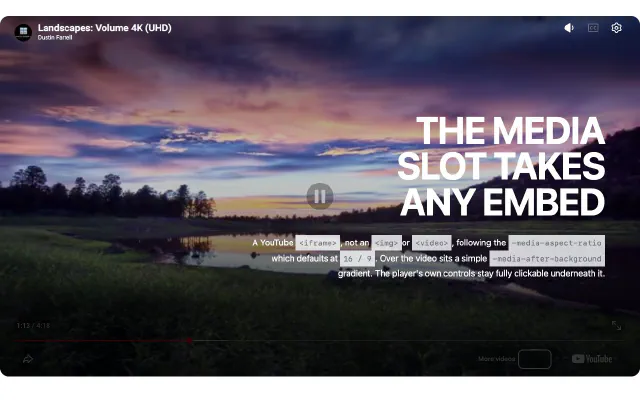
THE MEDIA
SLOT TAKES
ANY EMBED

A YouTube <iframe>, not an <img>or <video>, following the -media-aspect-ratio which defaults at 16 / 9. Over the video sits a simple -media-after-background gradient. The player's own controls stay fully clickable underneath it.

View code
<style>
.real-embed-hero {
  --steam-block-hero-align-items: flex-end;
  --steam-block-content-text-align: right;
  --steam-block-media-border-radius: 1rem;
  --steam-block-media-after-background: linear-gradient(to top, rgba(0, 0, 0, .8) 20%, transparent 65%);
}
</style>
<steam-block class="real-embed-hero" type="hero">
  <iframe slot="media" src="https://www.youtube.com/embed/VIDEO_ID" allowfullscreen></iframe>
  <div slot="content"><h1>The media slot takes any embed</h1></div>
</steam-block>

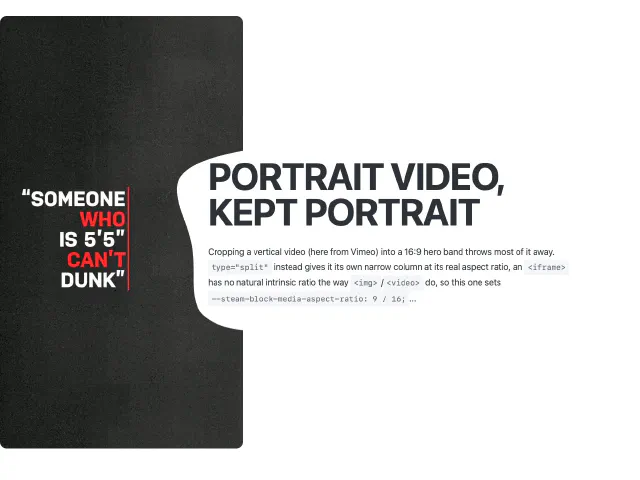
PORTRAIT VIDEO,
KEPT PORTRAIT

Cropping a vertical video (here from Vimeo) into a 16:9 hero band throws most of it away. type="split" instead gives it its own narrow column at its real aspect ratio, an <iframe>has no natural intrinsic ratio the way <img>/<video> do, so this one sets --steam-block-media-aspect-ratio: 9 / 16;...

View code
<style>
.real-embed-split {
  --steam-block-media-aspect-ratio: 9 / 16;
  --steam-block-media-width: 38%;
  --steam-block-content-width: 62%;
  --steam-block-content-padding: 5vw;
  --steam-block-content-before-background: white;
  --steam-block-content-before-mask: url("data:image/svg+xml,%3Csvg viewBox='0 0 200 200' xmlns='http://www.w3.org/2000/svg'%3E%3Cpath fill='%23FF0066' d='M46.5,-70.2C57.3,-65.5,60.9,-47.5,64.8,-31.7C68.7,-16,72.8,-2.4,69.7,9.1C66.6,20.6,56.3,30.2,46.4,38.3C36.5,46.4,27,53,15.9,58.1C4.8,63.1,-7.9,66.7,-21.9,66.3C-35.9,66,-51.2,61.8,-56.9,51.4C-62.5,41,-58.5,24.4,-61.4,8.4C-64.3,-7.5,-74,-22.9,-70.9,-33.5C-67.8,-44,-51.7,-49.7,-37.7,-52.9C-23.7,-56.2,-11.9,-56.9,3,-61.6C17.9,-66.3,35.8,-74.9,46.5,-70.2Z' transform='translate(100 100) scale(1.35)' /%3E%3C/svg%3E");
  --steam-block-content-margin: 0 0 0 -15vw;
  --steam-block-media-border-radius: .75rem;
}
</style>
<steam-block class="real-embed-split" order="flip">
  <iframe slot="media" src="https://player.vimeo.com/video/VIDEO_ID?background=1" allowfullscreen></iframe>
  <div slot="content"><h1>Portrait video, kept portrait</h1></div>
</steam-block>

Text columns

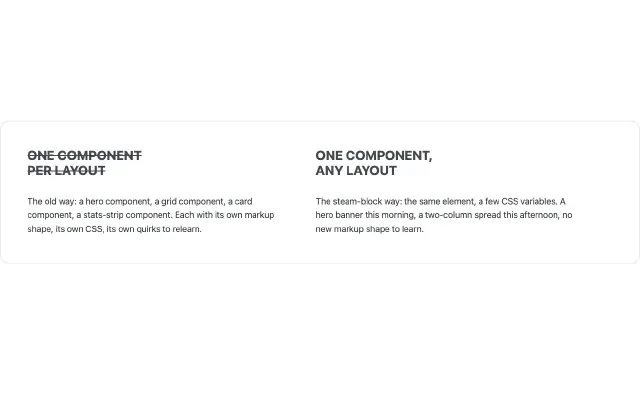
ONE COMPONENT
PER LAYOUT

The old way: a hero component, a grid component, a card component, a stats-strip component. Each with its own markup shape, its own CSS, its own quirks to relearn.

ONE COMPONENT,
ANY LAYOUT

The steam-block way: the same element, a few CSS variables. A hero banner this morning, a two-column spread this afternoon, no new markup shape to learn.

View code
<style>
.text-columns {
  --steam-block-media-width: 0;
  --steam-block-media-min-width: 0;
  --steam-block-content-display: grid;
  --steam-block-content-grid-template-columns: repeat(auto-fit, minmax(16rem, 1fr));
  --steam-block-content-gap: 3rem;
}
</style>
<steam-block class="text-columns">
  <div slot="content"><h3>Column one</h3><p>...</p></div>
  <div slot="content"><h3>Column two</h3><p>...</p></div>
  <!-- no slot="media" element at all -->
</steam-block>
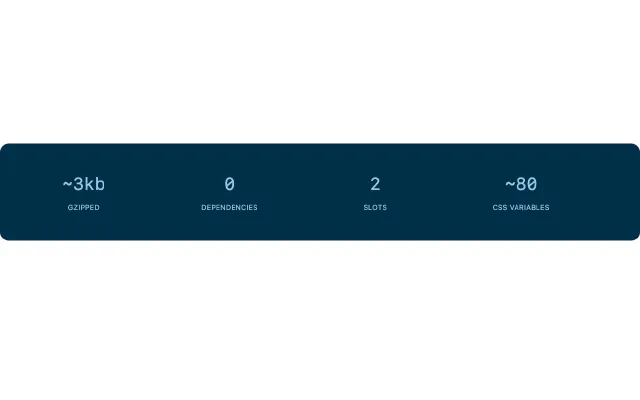
~3kbgzipped
0dependencies
2slots
~80CSS variables
View code
<style>
.stat-columns {
  --steam-block-media-width: 0;
  --steam-block-media-min-width: 0;
  --steam-block-content-display: grid;
  --steam-block-content-grid-template-columns: repeat(auto-fit, minmax(8rem, 1fr));
  --steam-block-content-gap: 1.5rem;
  --steam-block-padding: 3rem 2rem;
  --steam-block-content-text-align: center;
  --steam-block-background: #003049;
  --steam-block-border-radius: 1rem;
}
</style>
<steam-block class="stat-columns">
  <div slot="content"><strong>~3kb</strong><span>gzipped</span></div>
  <div slot="content"><strong>0</strong><span>dependencies</span></div>
  <div slot="content"><strong>2</strong><span>slots</span></div>
  <div slot="content"><strong>~90</strong><span>CSS variables</span></div>
</steam-block>
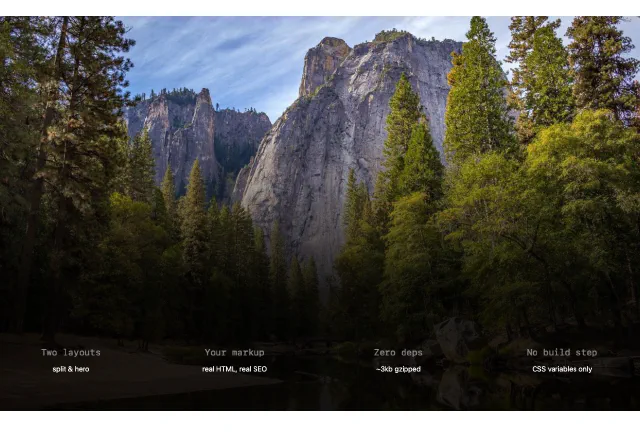
Two layoutssplit & hero
Your markupreal HTML, real SEO
Zero deps~3kb gzipped
No build stepCSS variables only
View code
<style>
.hero-columns {
  --steam-block-hero-align-items: stretch;
  --steam-block-content-justify-content: flex-end;
  --steam-block-content-display: grid;
  --steam-block-content-grid-template-columns: repeat(auto-fit, minmax(9rem, 1fr));
  --steam-block-content-gap: 1.5rem;
  --steam-block-content-text-align: center;
  --steam-block-media-after-background: linear-gradient(to top, rgba(0, 0, 0, .85) 30%, transparent 75%);
}
</style>
<steam-block class="hero-columns" type="hero" overlay="true">
  <img slot="media" src="photo.jpg" alt="">
  <div slot="content"><strong>Column one</strong></div>
  <div slot="content"><strong>Column two</strong></div>
  <div slot="content"><strong>Column three</strong></div>
  <div slot="content"><strong>Column four</strong></div>
</steam-block>